Overview
what does deep holistics do
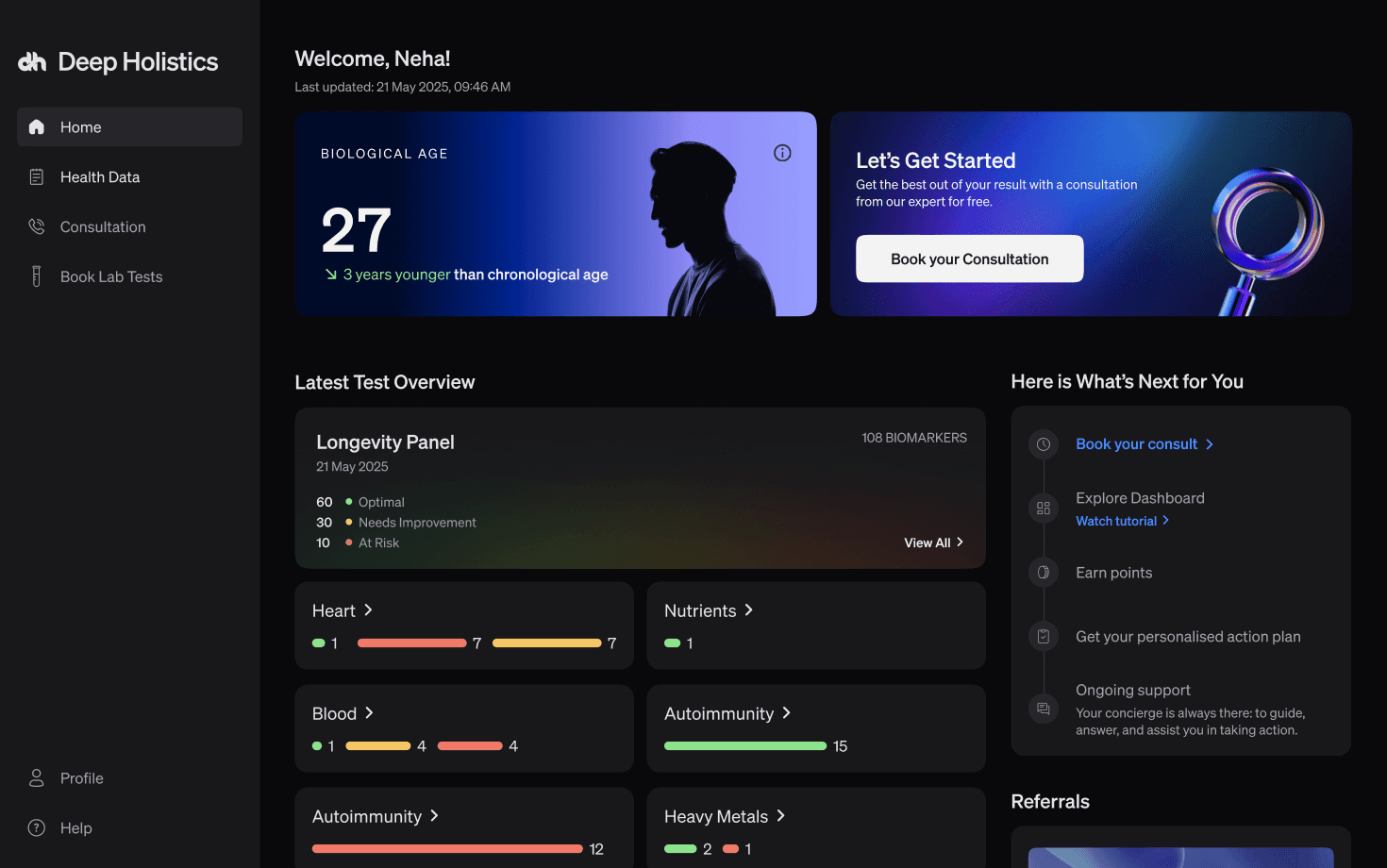
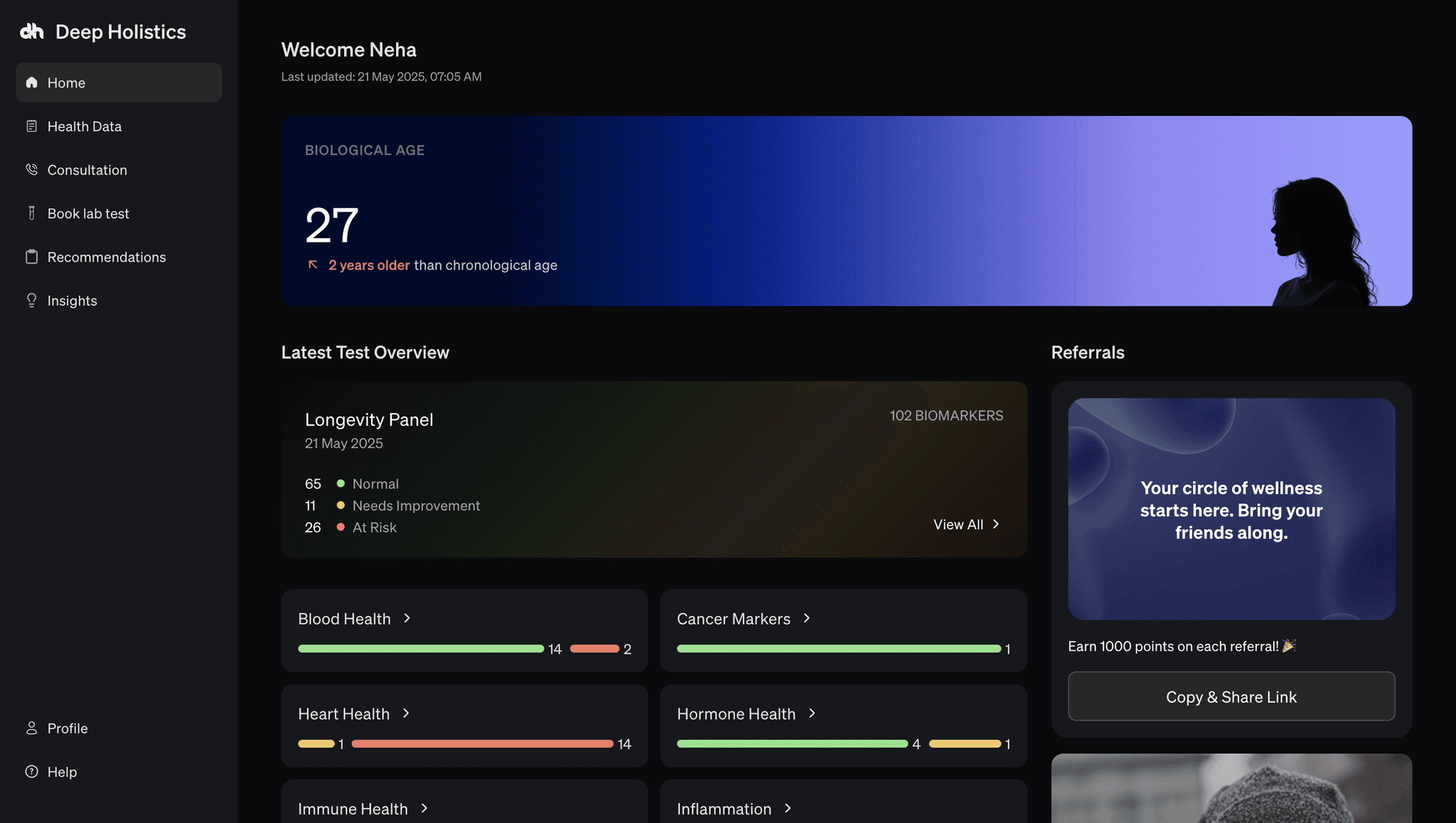
Brings together all your health data in one place and helps you make sense of it all. Not looking at all of them in isolation, but see how one thing affects another.
The ultimate aim is to help you look, feel, and perform 10/10 every single day.
the challenge
The sheer amount of data in there… how to make it less overwhelming. Easy to browse. And easy to understand the correlations (we're still scratching our heads about this one).
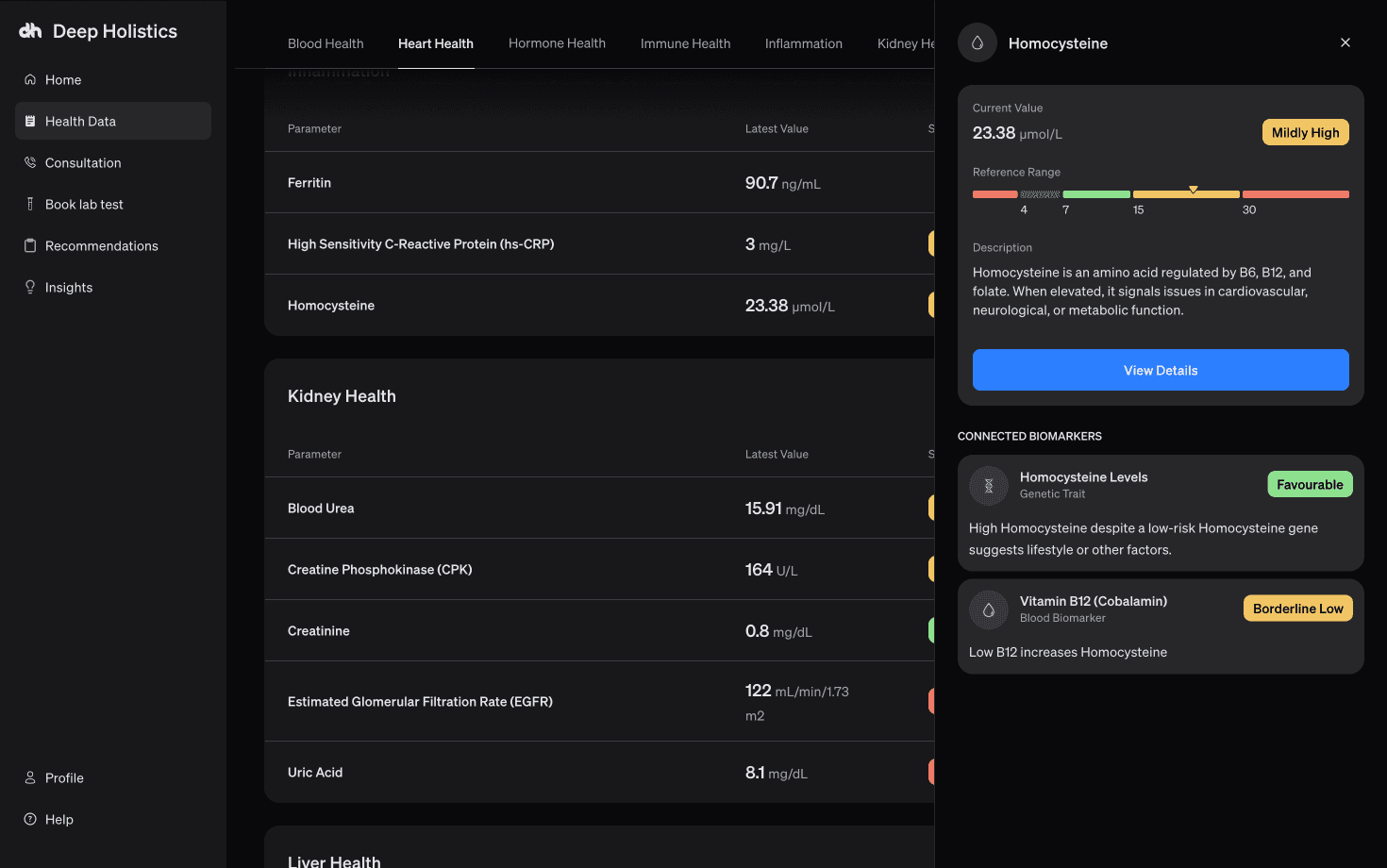
The challenge is to make complex biomarker data (CBC, lipid panels, hormone levels) accessible to non-medical users.
what the user wants
Our target user (health-conscious professionals aged 25–40) wanted understanding, not medical jargon.
Our initial conversations confirmed, these people regularly get these elaborate blood tests done but have no idea what it means or what to do when the results are out.
They don't trust doctors because more often than not doctors just shoo them away saying nothing's wrong. A few of them seek out nutritionists and holistic wellness practitioners.
They want a more nuanced look at their health but currently don't have a reliable solution.
Timeline
Apr–Dec 2025
Team
Me + 2 designers. Developers. Medical content team. Longevity experts.
Idea to launch
Web dashboard
Quick note on the platform we chose
Why web dashboard?
~83% of people view medical test results on computers, according to a 2020 survey by healthit.gov
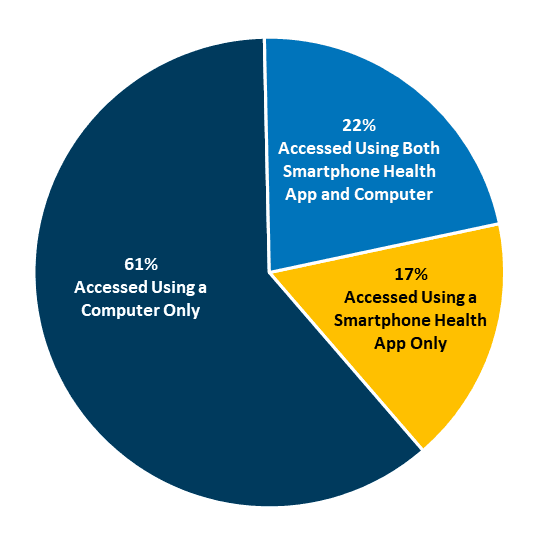
Pie chart showing the devices patients used to access their medical test results. 61% computer only. 17% mobile only. And 22% used both mobile and computer.
Read the entire study here.
Yet every provider in the industry we checked was mobile-obsessed. Their web interfaces were only for listing packages and placing orders. And when it comes to test results? Everyone hands you a PDF. That's it.
Fact #1: People are looking at the results as soon as they recieve the notification that it's available. Which usually happens at night, when they're on their mobile.
Fact #2: They want a way to take these results with them anywhere and show it to their doctors or family or family doctors.
So… Why web dashbord?
Fact #3: The amount of complex medical data we are dealing with demands screen real estate.
This was confirmed by both a general conversation around the office and a quick look at various surveys. People prefer to use computers for complex thinking tasks.
Fact #4: Web app offers much the same functionality as a mobile app, but with lower cost, faster development, and less time spent on cross-device testing.
I advocated strongly for not building a mobile app because its a lose-lose situation. People don't want to download more apps on their phone.. so many restrictions. And it's more development time for us. So instead we decided to keep ourselves on web.
Optimised —>
mobile for quick browsing and sharing results
desktop for in-depth understanding of their results
Let's get into it
My role in it
Built and maintained a React-based design system using Shadcn UI as the foundation, with custom components for product-specific needs.
Read that case study here.
Bridged design and development for consistency and clean implementation.
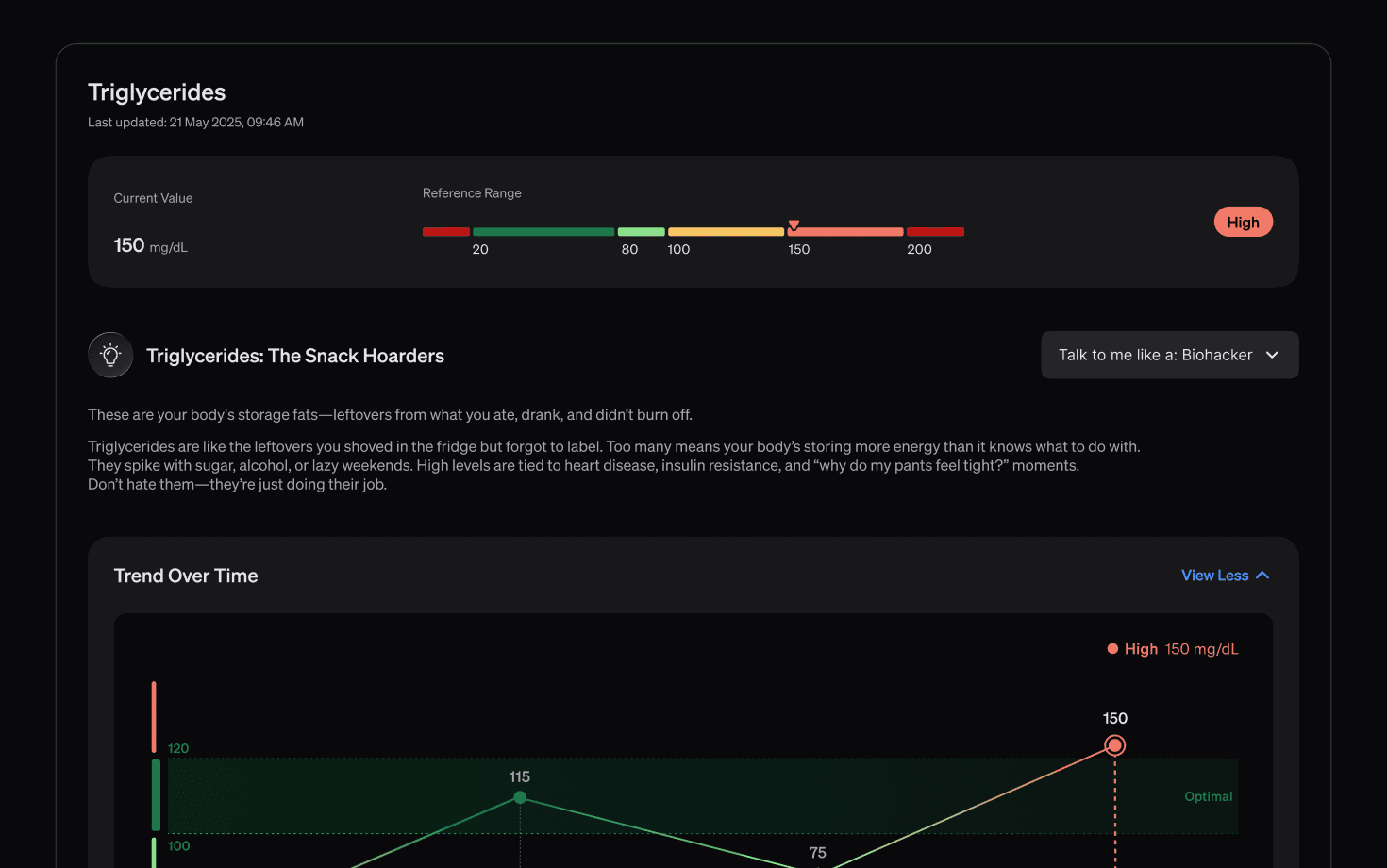
Worked closely with the medical content team to simplify medical jargon for everyday users.
Defined the user flow and contributed in design of key screens. Focused on smooth process and clear layout.
Wrote content for external communications to keep brand voice consistent across product and marketing.
BEFORE
First look — a list of all 100+ markers in one place
This is the first look from the Replit prototype our founder whipped up to validate the idea.
It's a good enough start but one glaringly obiovus problem was browsing the sheer amount of data.
Parameters that are related to each other are likely a long scroll away.
That much data looks intimidating. High cognitive load.
Difficult to find what you want.
Difficult to make sense of it without consulting a medical professional.
What's the problem?
Something I picked up on during a mock consultation call with Rina (one of our longevity experts)
While trying to explain the results between the action plan PDF and the test results page, she was doing a lot of scrolling to find what she was looking for. To correlate suggestions in the PDF with the data in the dashboard.
The search was useless because she often had to explain the correlation between multiple biomarkers in the same system.
Assuming a similar behavior by the customer, when they are looking back at their results, it is difficult to scan the data for the info you're looking for.
We brainstormed multiple ideas but eventually landed on these: collapsible cards, top navigation, change search functionality.
Solution area #1 — Viewing the list
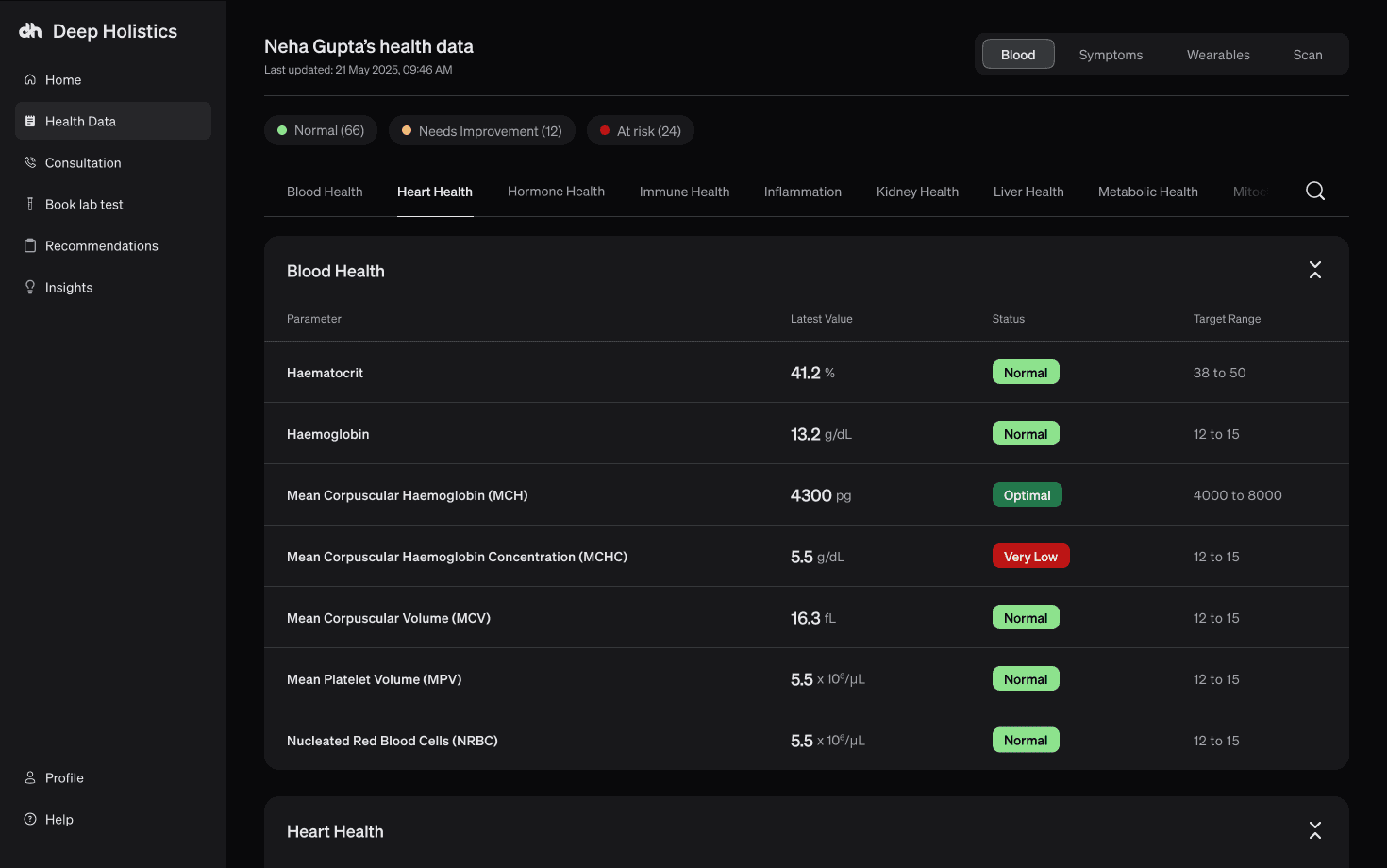
First thing we did was categorise all biomarkers into systems like Blood Health, Heart Health, Inflammation…
This was a no-brainer. Categorising into meaningful systems made it easy to see related biomarkers together. Making it easy to find insights out of it.
To reduce scroll and kinda put away what you've already seen, the cards can be collapsed away
Added a sticky navigation to scroll to any system
Solution area #2 — Search
Chrome like search functionality
Earlier the search results used to show a filtered list of everything that matches the query. This is a clean approach for sure. But in this scenario, where the context of the entire system is important to make sense of the data, we decided to go with a Chrome like search.
Now instead of showing filtered results, it highlights and scrolls to the items that match the search query.
Search "heart" and go to the "Heart Health" section
Someone remembers from the consultation that Rina said something about my kidney, but can't remember the name of the parameter.
You can of course click on the top nav, but this is a second way to achieve the same thing.
Solution area #3 — Filteration logic
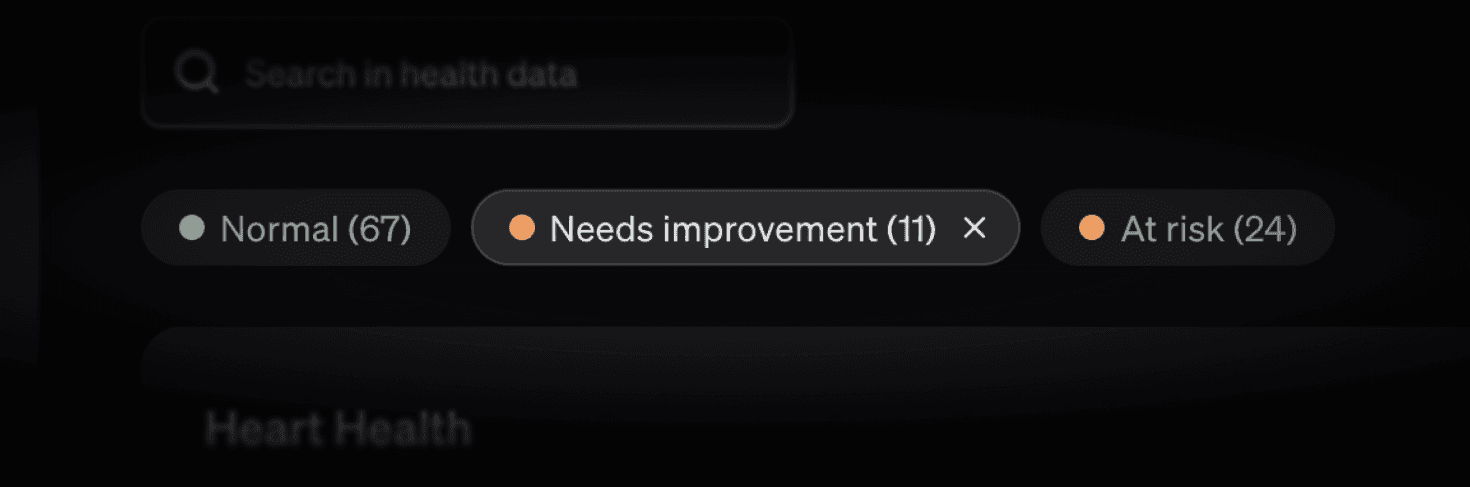
Normal, Needs improvement, At risk.
Differentiates borderline values from high risk ones.
So now 🔴 Vitamin D: 6ng/mL will not be in the same pile as 🟡 Vitamin D: 22ng/mL (both are low, but one of them is critical and the other is borderline)
Fits the mental model. Tells you what's good and what's not.
Backend logic uses the color tag assigned to the inference.
— Since the mental model behind these color tags was the same good/borderline/bad logic.
Multi-select. Can see borderline and at risk together, in case there's little in both and you gotta fix both.