Context
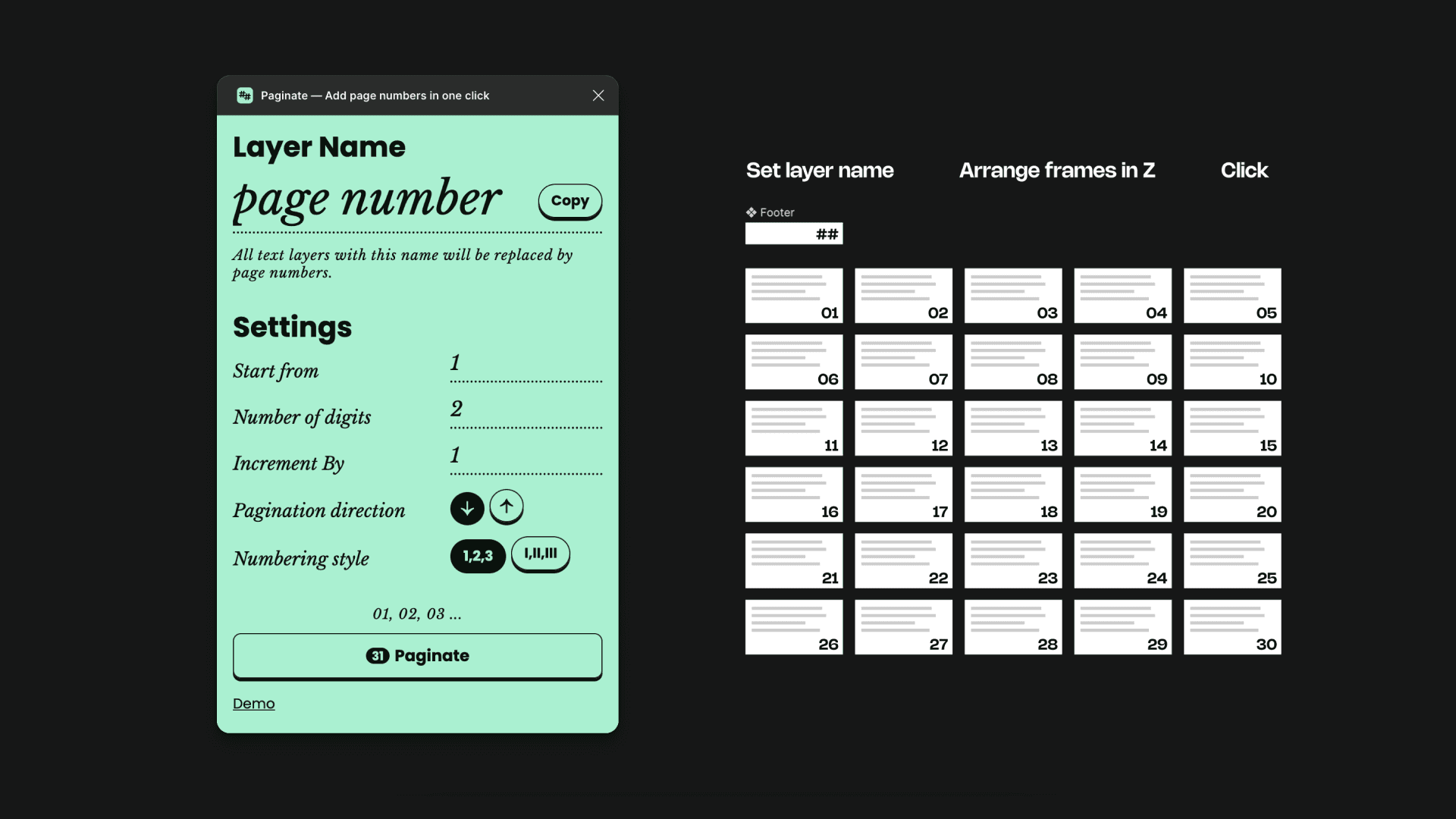
TL;DR — Needed a page numbering solution and the existing ones were not working properly.
I had been working with large PDF designs on Figma a lot lately, and everything was fine… until my go-to page-numbering plugin Pagenum disappeared! Couldn’t find it anywhere.
Okay, no biggie… I’ll just try the other plugins.
Nope. Tried every 👏 single 👏 one 👏 and none of them work the way I wanted.
Ever had to add page numbers ... to 100 pages ... one by one?
I wanted to throw something at the wall!
Luckily, I found the Github project for Pagenum, got it running after a few fixes. Now I could keep using it locally, but my team needed it too and they're not as tech-savvy, so I decided to publish it.
In the process I made some improvements so it was easier for them to implement. In a way that didn't require a Slack Canvas to explain "how to use this plugin to add page numbers".
as of Sep 21, 2025
21
1k users
Timeline
1 week (Released: Jan 28, 2025)
With Help from
ChatGPT
Github Copilot
Built on top of
Pagenum, an open source project, by Resul Çelik.
My old solution
Pagenum plugin
NOTE: Everywhere I'm mentioning time taken/runtime, its on a Figma file with 140 frames, and 102 of them had page numbers.
Simple. Straightforward. Easy to understand.
Everytime I had to run it, there were 5 steps using 2 other plugins.
So including setup it took 59.05s to run it each time.
The execution itself was very slow. Time taken after running the plugin: 23.54s
Figma took it down (don't know why)
1
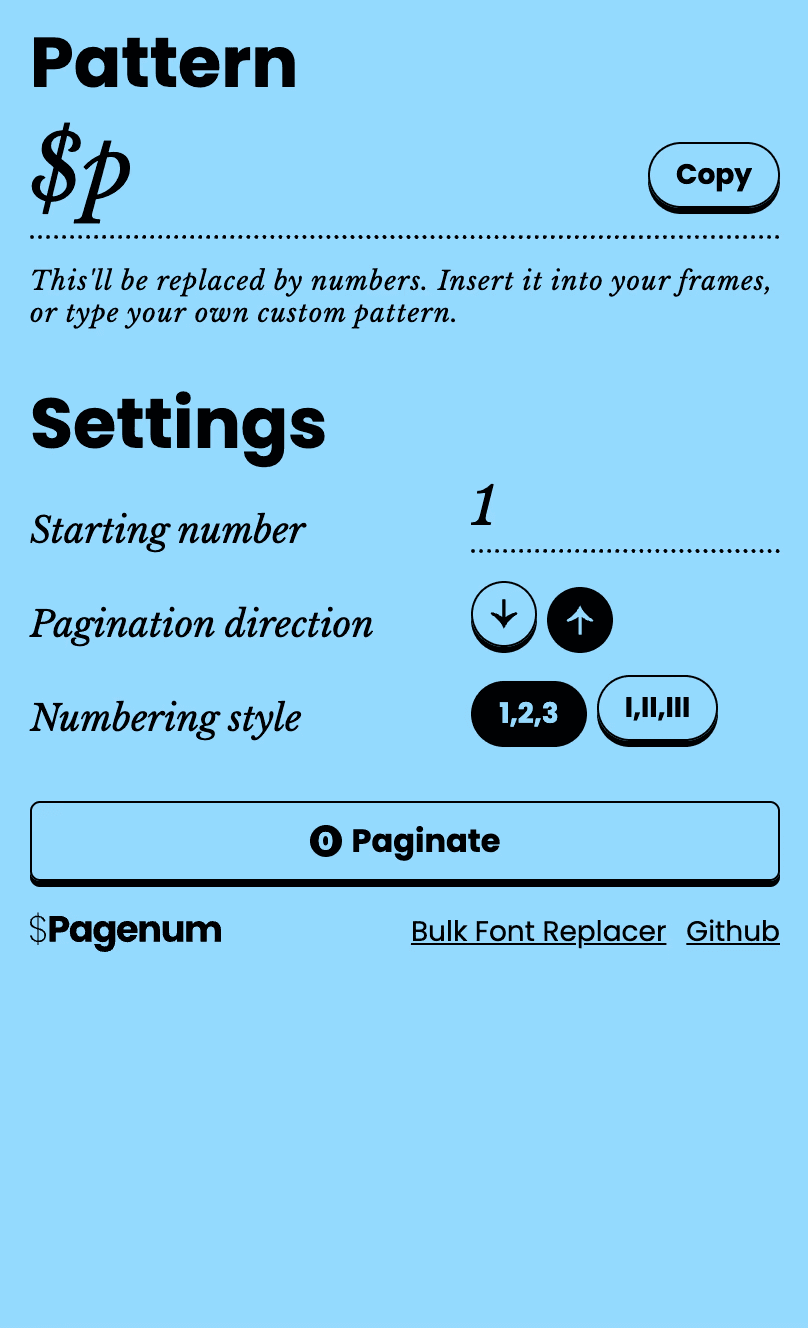
Previously, using text pattern for replacing numbers meant that I could only run it once.
In order to paginate again, I'd have to manually select all the layers and change the text. That's just not very practical.
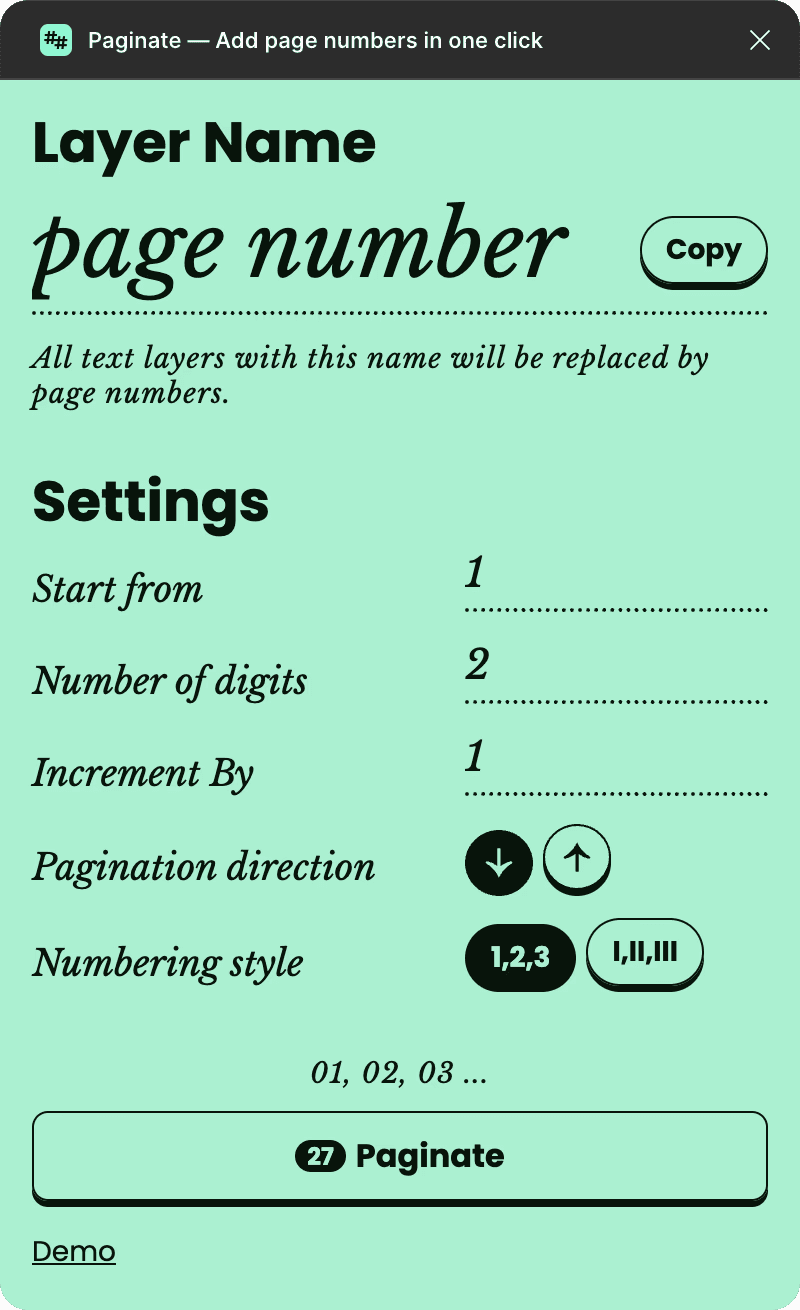
Considering this I changed the selection to layer name — never changes and is easy to maintain.
2
Added some new customisation options.
3
To avoid uncertainty about what each option does and to see what you'll get before you run the plugin, I added a preview text.
4
To make it easy to re-paginate the same file, I saved their last used options.
Because its very likely that the designer is gonna go through multiple iterations, adding things, removing things.
5
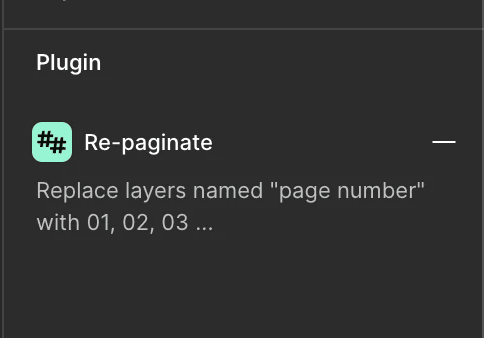
Added a relaunch button, for quick renumbering with the last saved options.
Still — Simple. Straightforward. Easy to understand.
One-click numbering after the initial setup
Runtime: 1.78s (140 frames with 102 pages)
Smart defaults. (Check release notes for details)
Lessons
When developing a Figma plugin that involves text manipulation, always handle Missing Fonts.
AI doesn't have all the answers, so before you try and beat it to a pulp, look for answers on good old Stack Overflow.
Release Notes
Latest first
v0.0
The starting point
Pagenum (the open-source project)
🔹 About Pagenum
Page Numbering using Text Pattern – Every text on the page with a particular pattern, say
$p, gets numbered.Good enough customisations – direction for numbering, roman vs arabic, start from a different number.
Layer index based numbering – The numbering order is decided based on the layers index, i.e. how it appears in the Layers Panel.
v1.0
Released on Jan 28, 2025
More customisations
🔹 About Paginate
Paginate is a Figma plugin designed to make adding page numbers effortless. Built upon the open-source project Pagenum by Resul Çelik, Paginate enhances performance and introduces new customisation options to streamline your workflow.
✨ What’s New in Paginate?
Customisable Number Format – Define the number of digits; if more than one, leading zeros are added (1, 2, 3 or 01, 02, 03).
Flexible Increment Values – Define how numbers progress (e.g., 1, 2, 3 or 1, 3, 5).
Canvas-Based Ordering – Numbers are now assigned based on position on the canvas rather than the layer panel order, removing extra prep work.
Live Preview Example – See how your page numbers will appear before applying them.
Performance Boost 🚀 – Optimised to handle large files much faster.
(from 20s to less than 1s)
v2.0
Released on Jan 31, 2025
Different way to select layers
Select Text Layers by Name – Now you can select text layers based on their layer name, making repagination much easier.
🛠️ Minor Improvements & Fixes:
Missing Font Alert – Get notified if any required fonts are missing.
Success Message Update – Now displays the exact count of text layers modified.
No Frame Selected? Get Notified! – A warning appears if no frames are selected before running the plugin.
Bug Fix – Frame count now displays correctly when launching the plugin.
v3.0
Released on Feb 2, 2025
One-step numbering
🔹 Smart Selection & Automation
Auto-Select Frames – If no frames are selected, Paginate will automatically select all frames on the page.
Repaginate with One Click – Use the Relaunch Button to quickly reapply the last settings without reconfiguring.
🔧 Usability & Quality-of-Life Improvements
Auto-Close After Success – The plugin now closes automatically after applying page numbers.
Smarter Text Selection – Text layers inside components are now ignored to prevent unintended numbering.
Persistent Settings – Your last-used settings are saved and restored when reopening the plugin.
v3.1
Released on Feb 11, 2025
Removing options, keeping defaults.
Bug fix. Direction toggle wasn't working.
Removed option for selecting text layers using pattern. Only option now is layer name.
v3.2
Released on Sep 22, 2025
Direct text layer selection
Initial selection now includes text layers.
Earlier, while selecting the pages, any text layers were filtered out. Thus if you only select the layers where you want the page number, it wouldn't get selected. But now it would.